CREATIVE.NOTES / SYSTEMS · RELEASE
2026.09.11 / RELEASE
Bringing Windows audio within reach
Windows Fader Bridge and UAD Console Bridge are now available
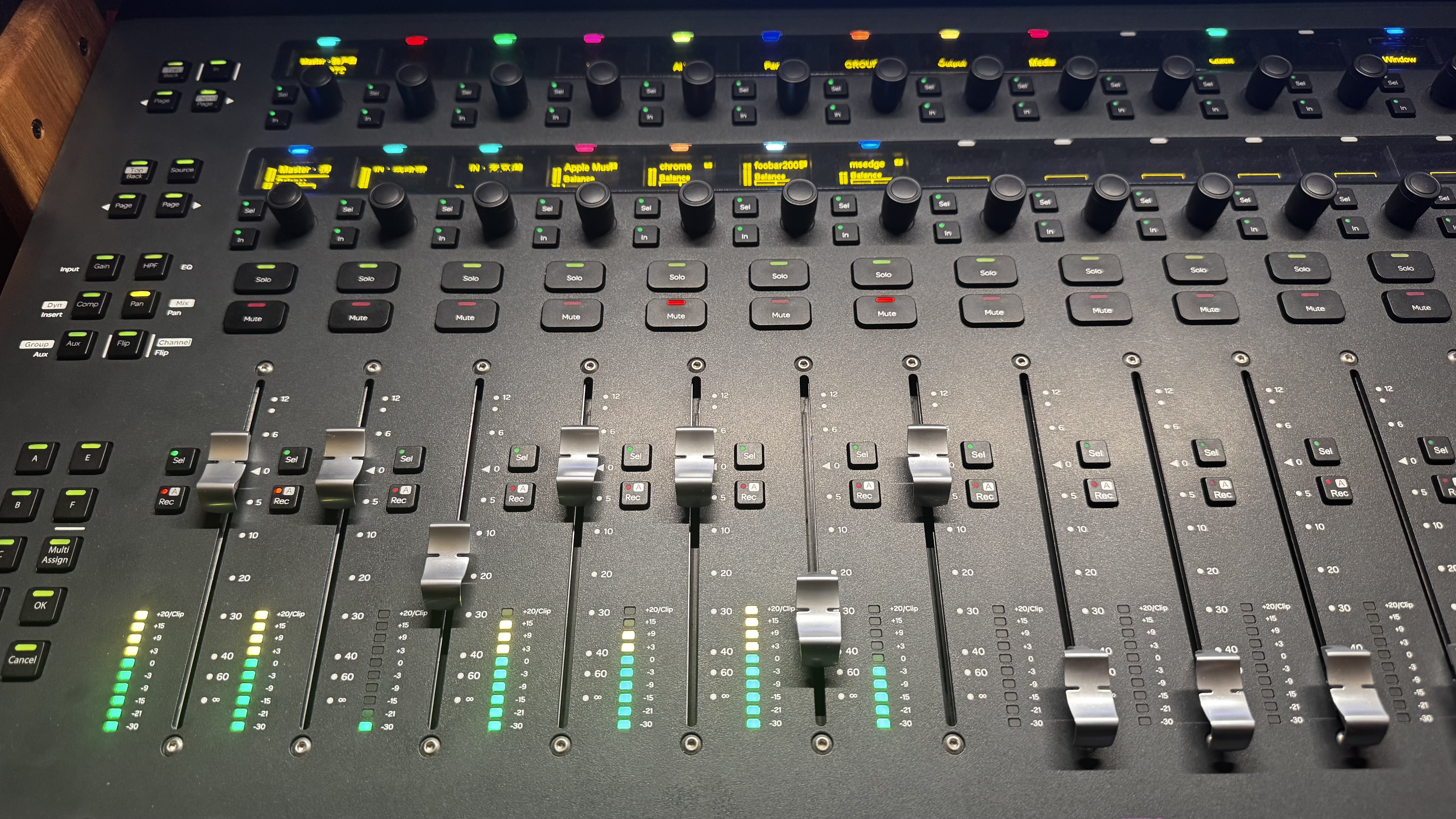
More and more sound passes through our computers, yet controlling it often still means chasing small sliders across the screen. Lowering a browser, adjusting a player, or switching inputs for a call or stream is simple in theory. In practice, you first have to find the right window and make sure you are touching the right thing.
This is not only a musician’s problem. Everyday users, streamers, meetings, creators and studios share the same wish: touch a control and hear the sound change immediately; make a software adjustment and see it return to the fader, lamp and meter. Windows Fader Bridge began with that straightforward need.
01 / WINDOWS AUDIO
Turning scattered desktop sound into clear channels
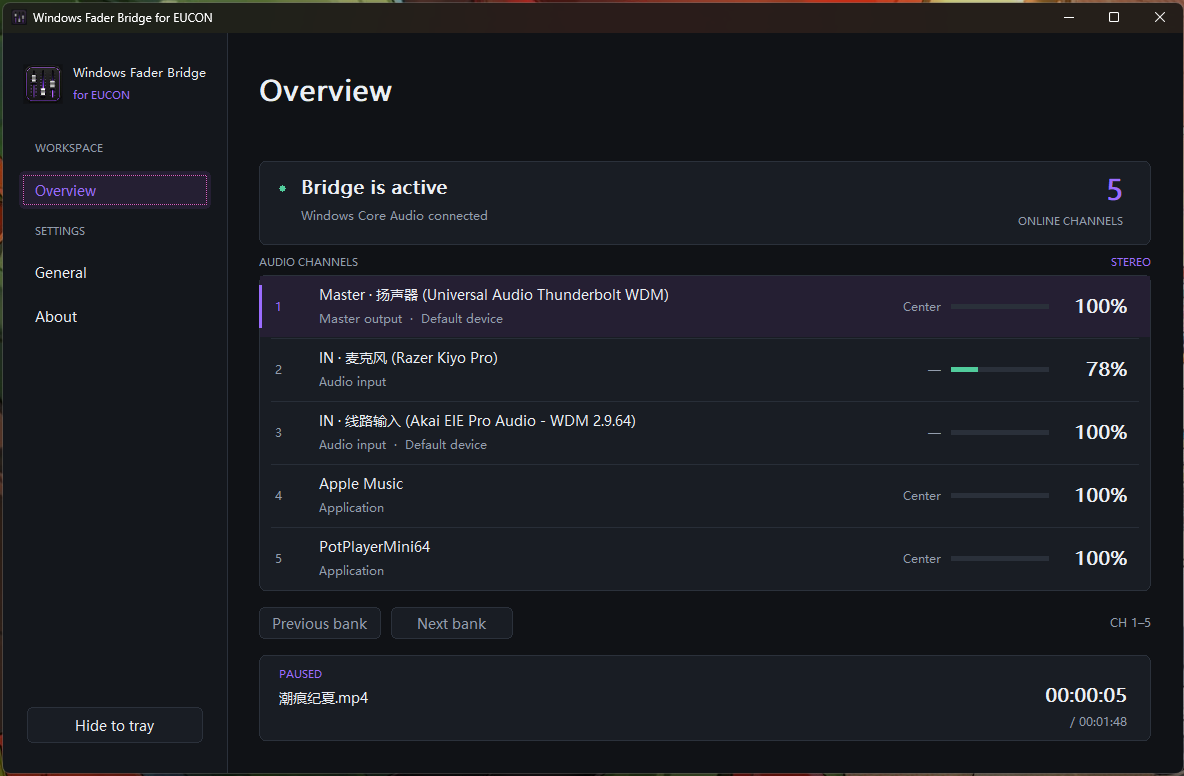
We built two independent connections. The EUCON edition serves environments such as Avid S3 and Avid Control. The Mackie Control edition connects over MIDI to controllers in MCU mode. Both turn the Windows main output, input devices and active applications into stable logical channels.
Faders control level, encoders control pan, and mute, solo, selection and meters remain synchronized in both directions. The list changes as applications come and go, but a fader under your hand cannot suddenly inherit another app. All of those internal rules should add up to one uncomplicated feeling: the tool always knows what you are controlling.
02 / UAD CONSOLE × EUCON
A workflow I had waited years to use
UAD Console has long been central to my studio, yet its documented parameter workflow still centres on mouse and keyboard control, without a direct EUCON control path into Console. Every on-screen fader and encoder was familiar, but always separated from my hands by a mouse. Bringing the Apollo software mixer onto a physical surface was more than a feature request. It had been a personal ambition for years.
UAD Console Bridge for EUCON finally makes it tangible. Channel faders, mono and stereo pan, mute, solo, sends, input preamps, UNISON and Inserts plug-ins, the control room and meters are arranged as structures EUCON can understand. Parameters retain real units such as dB and Hz, while touch, turning, banking and state feedback correspond as closely as possible to Console.
Apollo DSP and UAD Console continue to process the audio; the bridge handles control and feedback. The goal is not merely to remote-control an app. It is to bring hardware into the existing recording and mixing flow: move a fader and hear the result, turn an encoder and see its value, with hands, eyes and ears receiving the same answer.
03 / THE MAKING
The hard part was not making it move once
Early prototypes could change volume quickly. The real work was turning one successful gesture into something dependable every day. A fader cannot wait until release before sending. A meter cannot be deliberately slowed for convenience. Software feedback cannot force a touched motor fader back to an older value. Reconnection, application changes, driver updates and startup order should not demand a ritual of restarts.
We separated continuous control from structural change. Volume, pan and plug-in parameters take an immediate path and retain only the newest pending position, so stale commands cannot chase a gesture. Plug-in loading and configuration keep deliberate selection, confirmation and state checks. Stable channel identity, touch protection, reconnection and control scopes guard the target and its boundaries.
This engineering is not there to make the interface look complicated. Its purpose is precisely the opposite: to let the bridge disappear so that attention can remain on the sound.
DOWNLOAD / v1.0.0
Three v1.0.0 releases, ready to install
Each application installs and runs independently. Choose the edition that matches your controller and workflow.
Windows Audio · Avid EUCON
Windows Fader Bridge for EUCON
Control Windows master volume, input devices and application channels from Avid S3, Avid Control and other compatible EUCON surfaces.
Download and user guide ↗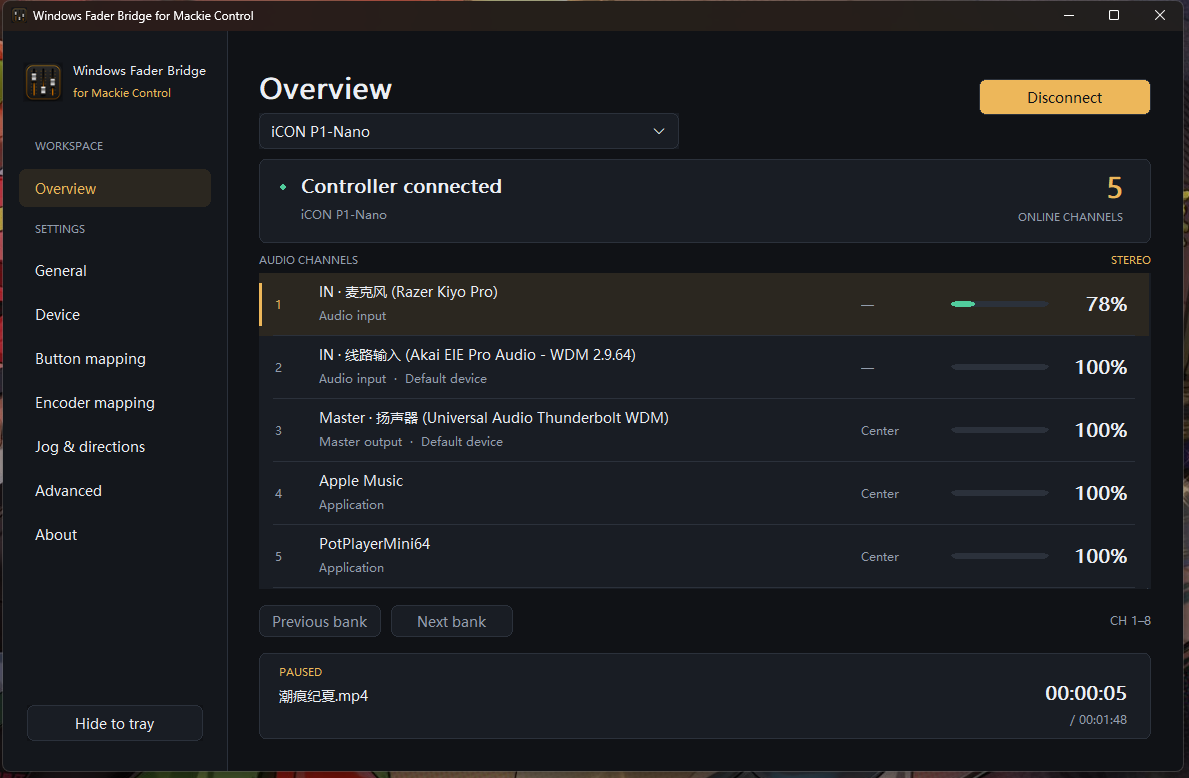
Windows Audio · MCU / MIDI
Windows Fader Bridge for Mackie Control
Operate Windows audio from an MCU-mode controller and assign Windows, media and window commands to physical buttons.
Download and user guide ↗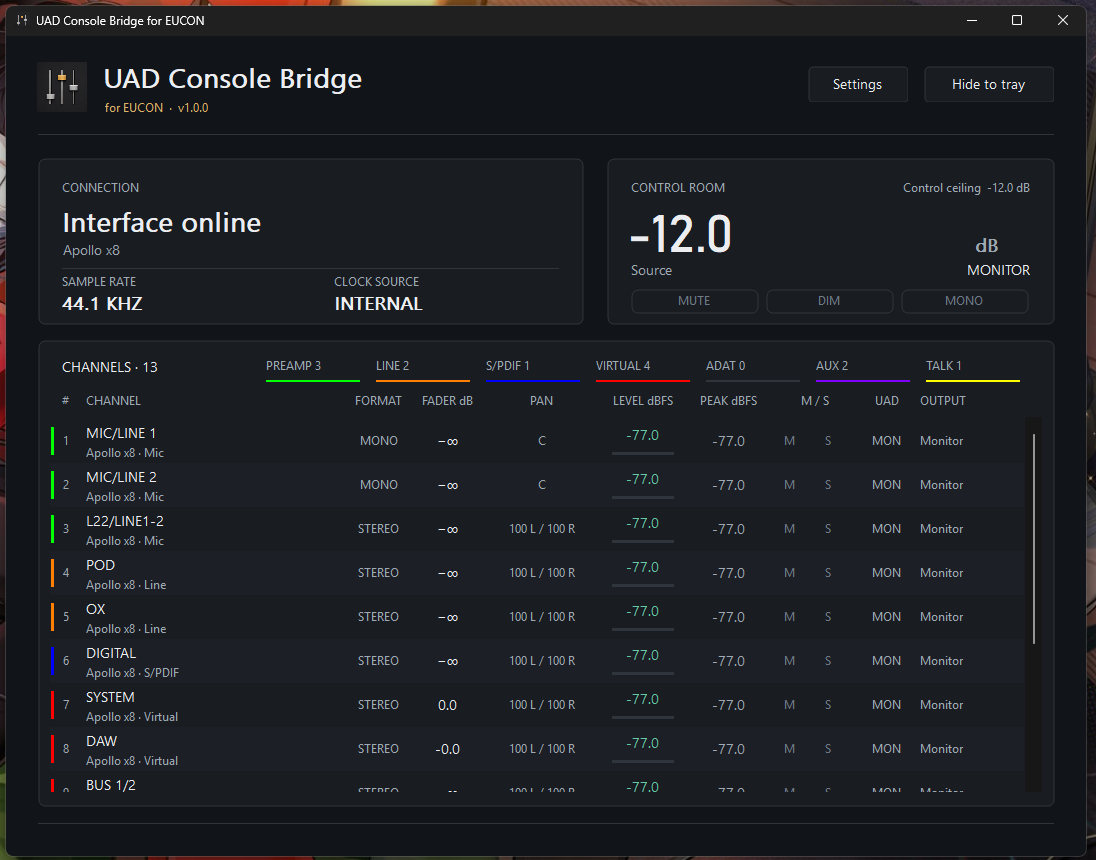
Apollo / UAD Console · Avid EUCON
UAD Console Bridge for EUCON
Operate Apollo DSP mixing, preamps, plug-ins and the control room from EUCON, with real units and live feedback.
Download and user guide ↗OPEN SOURCE / MPL 2.0
Want to go deeper?
Installation and everyday instructions live in each product repository. Architecture, protocol research, validation records and source code remain available in the MPL 2.0 open-source development repository.
Explore the source and technical record ↗NEXT / MACKIE CONTROL
Next: UAD Console Bridge for Mackie Control
Next we will develop a Mackie Control edition for UAD, opening this workflow to more MIDI controllers.
This is not a matter of swapping the transport beneath the EUCON version. MCU devices differ widely in their buttons, displays, encoders and extensions, and the protocol’s meanings do not map perfectly onto UAD Console. Shared capabilities, device profiles and honest fallback behaviour all need careful decisions, so the work will take more time.
The hardware I can keep on hand for sustained testing is limited, and my current setup leans heavily toward EUCON. Many excellent controllers deserve thoughtful support, but guessing at devices I cannot verify would not be responsible. If you know a particular surface or protocol, can help with physical testing, or have a concrete workflow to share, you are welcome to contribute code, observations or requests. One reason this work is open source is to keep its reach from being limited by a single person’s equipment list.
The standard remains the same: not an impressive demonstration that hides gaps in operation, but a tool that belongs in everyday work.
Making sound control an action again
This release means more to us than three installer files. It turns a persistent inconvenience into something useful at hand, and transforms a private dream of hardware UAD control into a tool that can be shared.
If you have ever chased volume sliders around Windows—or, like me, wished UAD Console could finally live on a physical surface—you can now try it for yourself.
What you see should be what you get. For sound, that promise should be something you can hear and touch.
千弦 / Chizuru